Video queue
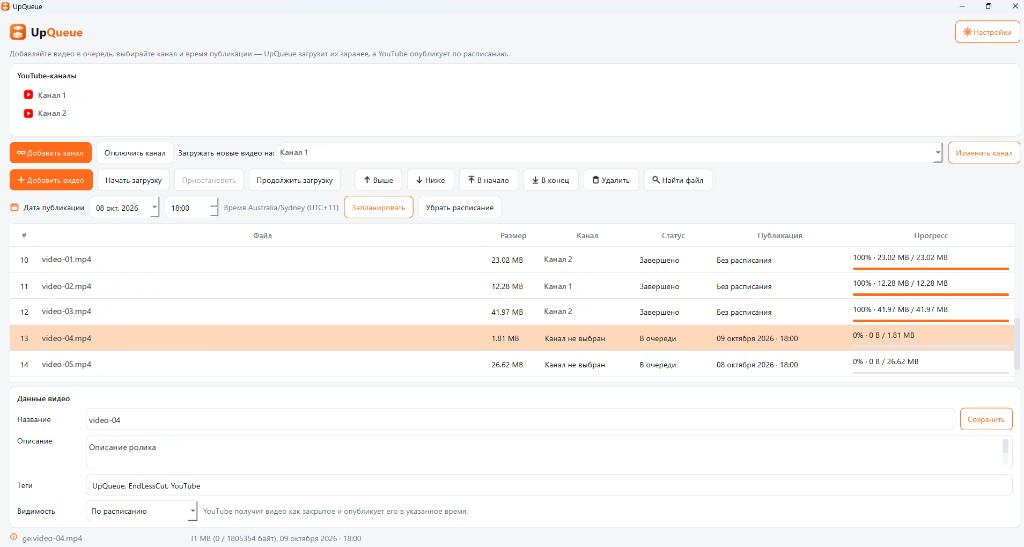
Collect several videos from this PC in one list and track each status.
Run a YouTube upload queue, set titles and publish times, and send files from your computer — to one channel or several.
Features
UpQueue helps you prepare several videos, pick a channel, and schedule when each one goes live.
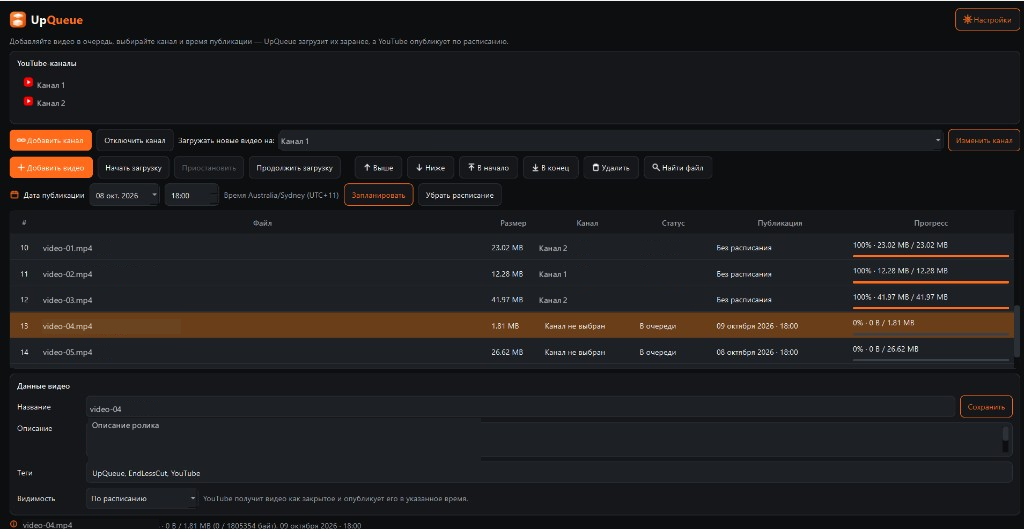
Collect several videos from this PC in one list and track each status.
Connect more than one YouTube channel and choose the destination before upload.
Fill in title, description, tags, and visibility before the file is sent to YouTube.
Schedule when a video goes live separately from the upload itself.
Workflow
Channels connect through official YouTube sign-in. You can connect several.
The queue uses files on your computer, not copies uploaded to this website.
Each upload targets one connected channel.
Title, description, tags, and visibility are set before upload.
Publish time is configured separately from transferring the file.
The app sends the file and shows progress while upload runs.
Queue
The list shows the file, channel, and upload progress. The queue lives on this PC even if you close the window.
Publishing
The file transfers while your PC is on and UpQueue is uploading. Publish time is a separate YouTube setting.
A powered-off PC does not continue an interrupted transfer. Keep the PC on while upload finishes.
Channels
Each channel connects separately. Before upload you see where the video will go.
Where files go
UpQueue and EndlessCut are different apps on the same site. Upload bytes go from your PC to YouTube, not through the storefront server.
Platform
Only what applies to the app itself. Specific RAM, CPU, or disk minimums are not listed here.
Pricing
Checkout is on the EndlessCut site — one account for UpQueue and EndlessCut.
$49.90 / 30 days
Upload queue and YouTube publishing from your computer.
Checking sign-in…
Best value
$85.90 / 30 days
One license code for 30 days: both EndlessCut and UpQueue on one Windows PC.
Save $13.90 vs buying separately ($49.90 + $49.90).
Checking sign-in…
FAQ
YouTube channels connect through official sign-in.
You can connect several channels and choose which one receives each upload.
No. Upload sends the file from your PC while it is on and the app is working.
Publish time is separate. With a scheduled time, the video may upload as private and YouTube publishes it later.
After upload and schedule are accepted, you do not resend the same file just to publish. A powered-off PC does not finish an interrupted transfer.
The queue is stored locally in SQLite: the list and state are not only in the open window.
An in-progress upload may resume if the YouTube session on YouTube's side is still valid.
The file is read on your computer and sent to YouTube.
The EndlessCut website does not receive that video or act as upload storage.
The app detects that the previous path no longer works.
You can pick the file again on disk and continue with that queue entry.
Pick 30 days of access — checkout on the EndlessCut site, one account for both apps.
EndlessCut builds long videos from short clips. UpQueue handles upload queues and publish times. They are not the same product.
Open EndlessCut →